Car Comparison Tool Refresher
A hands-on microlearning that helps sales associates guide customers to the right vehicle
Associates and customers use the Comparison Tool on carmax.com all the time when shopping for a car. It lets customers line up vehicles side by side and make their own call instead of feeling pushed by a salesperson. I wanted a refresher associates could finish between customers, so I kept it to about 15 minutes over four short lessons. Associates keep carmax.com open next to the course and follow along on the real site. I also created a hands-on-practice job aid that would allow associates to continue practicing with the site after the course without requiring much oversight from leadership.
Practicing on the Real Site
I didn't want associates clicking through screenshots of a site they could just open, so every lesson has them doing the steps on carmax.com as they go. Inside the course I rebuilt pieces of the site, like the Compare toggle and the row of six boxes that fills as you pick cars, so it's easy to match what's on screen. There are two ways to start a comparison, and I put them in tabs next to each other. For the comparison page, I numbered each section on a screenshot and gave each one its own expandable panel. Short knowledge checks come right after each topic.
The learning objectives focus on being able to use and demonstrate the comparison tool to customers and be able to confidently explain each section and its components.
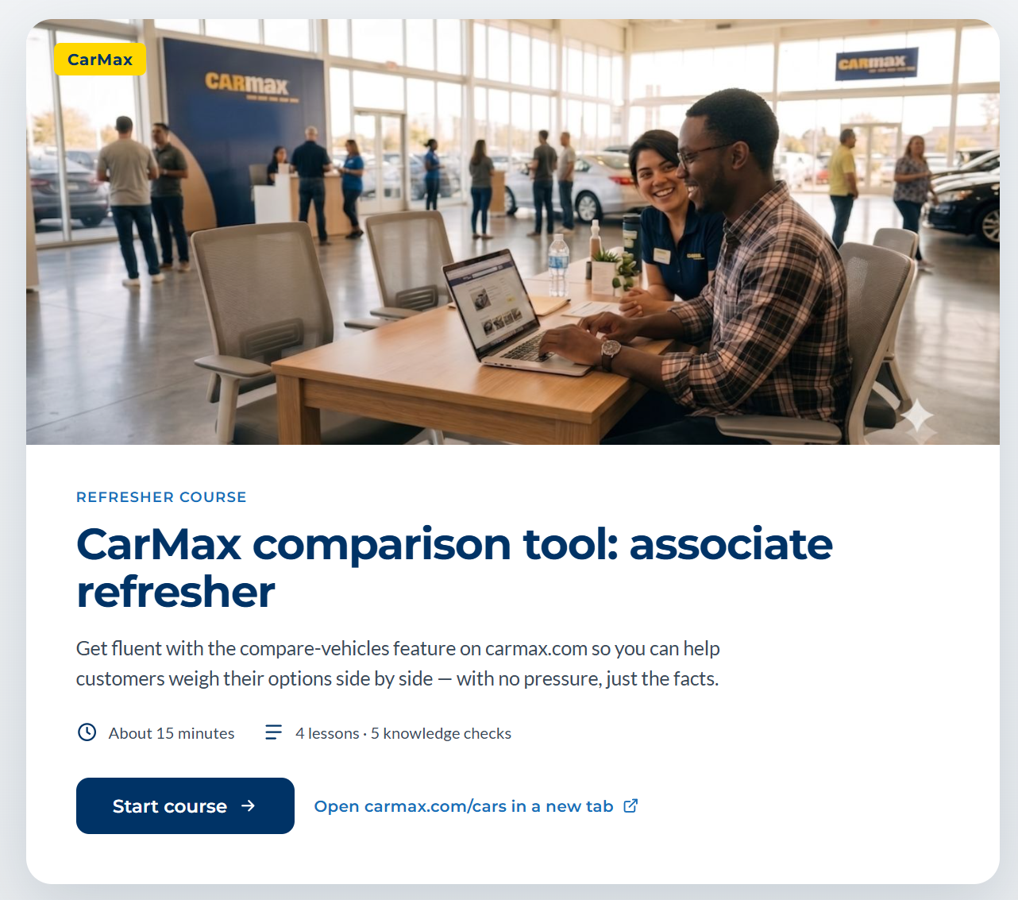
The eLearning was designed to be clean, clear, and match the brand's look & feel. On the front page associates are able to easily open the website in a new tab and this link is accessible throughout the course.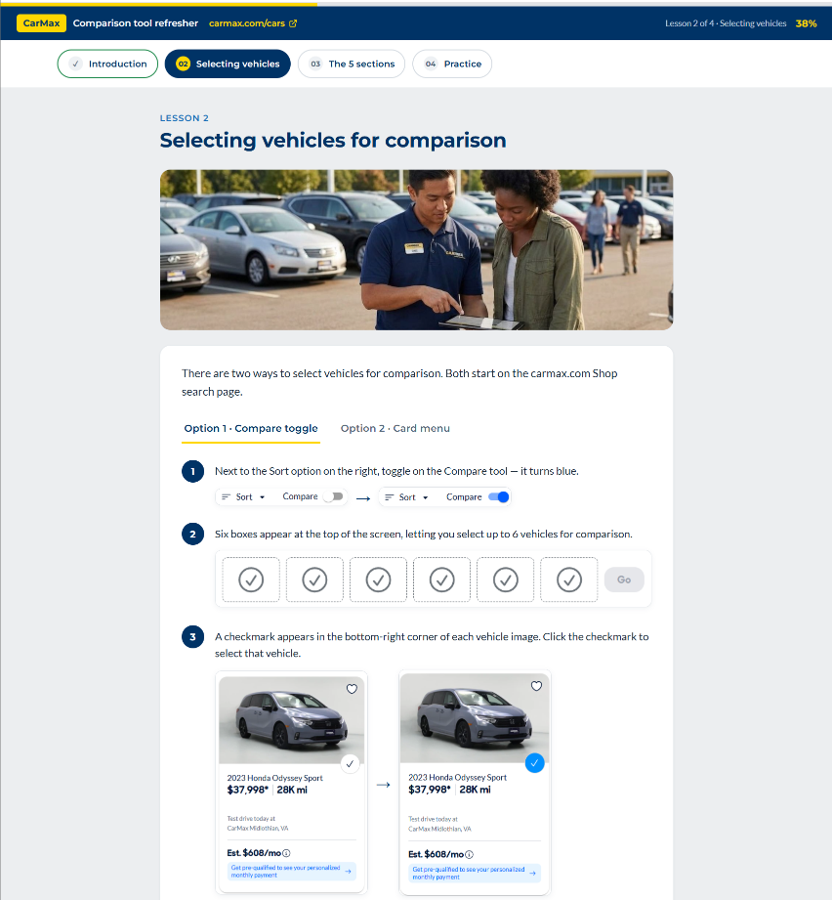
Since learner were navigating through the site while they were completing the course, I made sure that screenshots accurately reflected what was on the site (at the time of the course's creation) without being just a complete copy of each webpage. Everything was clearly labeled and had simple steps and instructions to make it easy for the leaner to follow.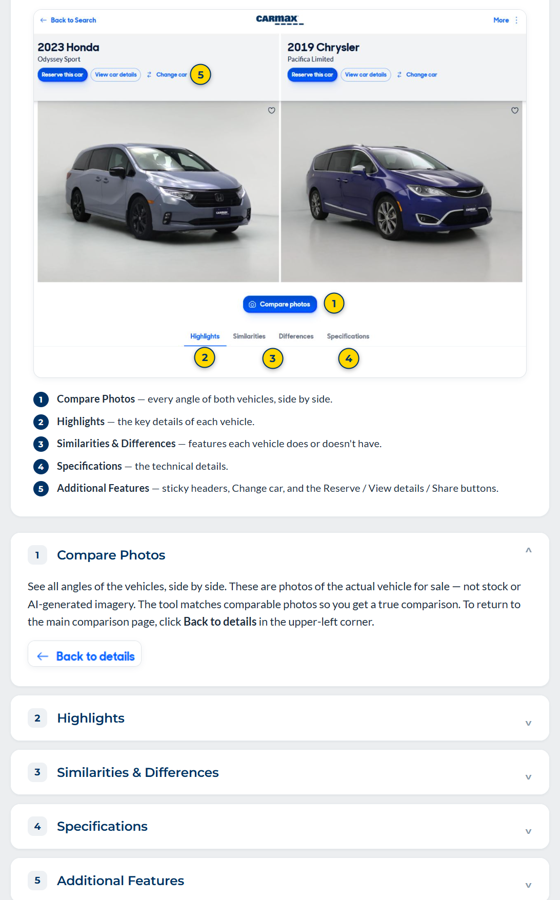
Customer Personas Built for Real Inventory
Lydia is a new mom who's sure a minivan is the only way to go, and she shows up throughout the course. Associates filter the inventory for her, pick at least three vehicles and compare them against her list of must-haves and nice-to-haves. Then they decide whether a minivan is really her best option. I modeled the Lydia persona after myself, as I feel there’s a general stereotype of moms and minivans and I wanted to have the associates challenge that option, as I myself would not want a minivan. After Lydia there are more shoppers to try: Danny, a college student on a budget; Richard, a new retiree who wants something sporty; and Sarah, who's after a small electric SUV.
Every store has different cars on the lot, so I kept the profiles loose on purpose. There isn't one right answer, and associates can come back and practice again with whatever's in stock.
To keep the practice going after the course, I made a one-page job aid with four more shoppers for follow-up role-play. Like the shoppers in the course, each card has must-haves, nice-to-haves and a question that points associates to specific parts of the comparison page. These additional shopping personas would allow for easy hands on practice without a large lift from leadership.
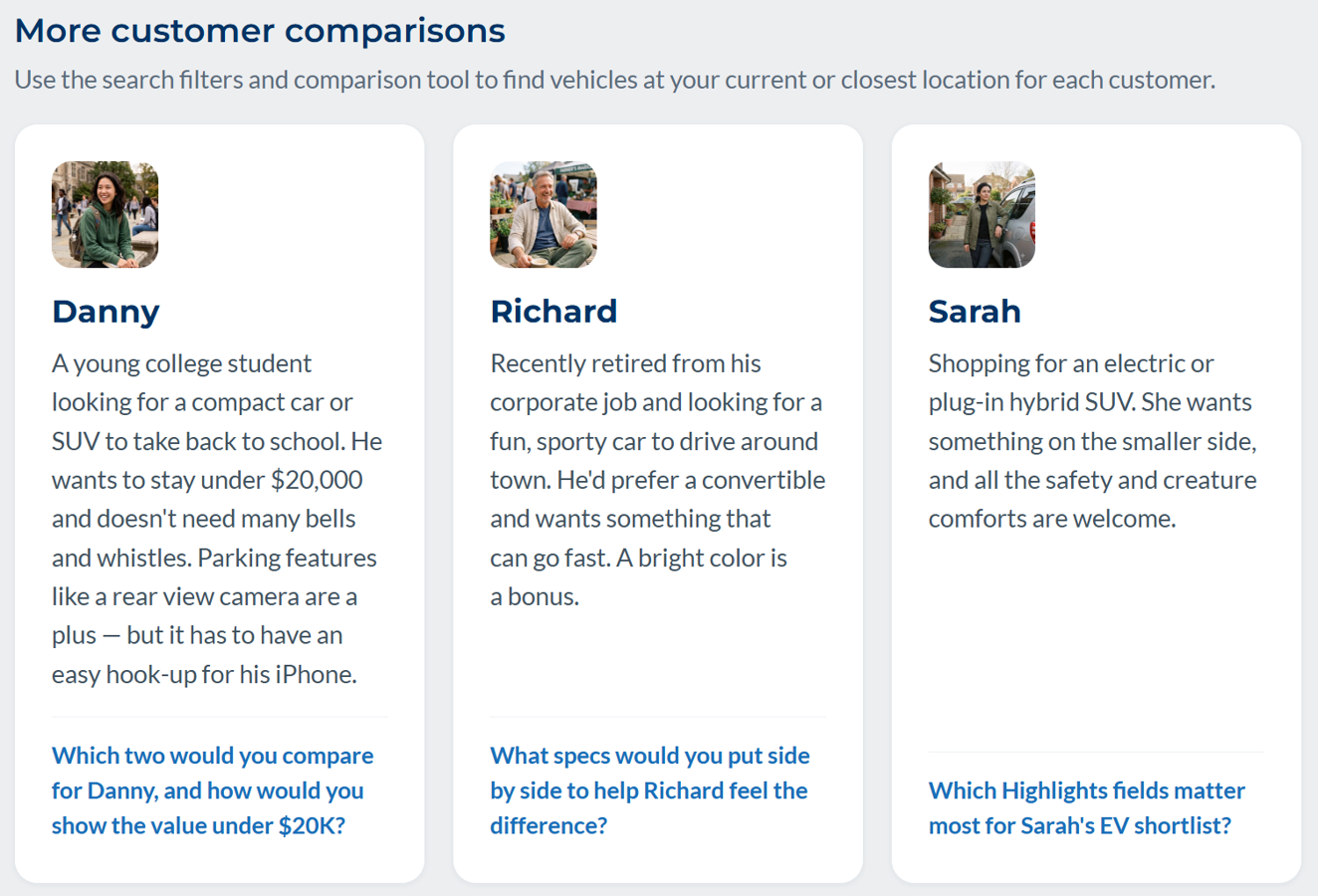
The additional personas created for the course.
Where AI Helped
I had a tight deadline and no peer to bounce ideas off, so AI filled in where a coworker normally would. I wrote the core content, took the screenshots, created the shopper personas and made the calls on every edit. I built the course in Claude Design so it would look and feel like an Articulate Rise course. Rise has some limitations, and building from scratch gave me the freedom to create exactly what I wanted and change it quickly. Claude helped me research a CarMax style guide, tighten the learning objectives and write extra practice scenarios. I didn't have a stock image library, so I used Gemini for all the images. Even with AI helping, I took the lead on the design and development.
One of the biggest challenges with AI is making sure that people, both in descriptions and imagery, are diverse. When creating the image prompts I checked that not every persona created would look the same, adding specific characteristics to make each one unique.
Final Thoughts
Building in Claude Design was new for me, and I liked not being boxed in by an authoring tool's limitations. If I took this further, I'd test it with a few associates to see whether the shopper profiles hold up with what's actually on their lots, and add new shoppers based on the customers they see most.