Age-Friendly Care
Utilizing AI for content creation & building out scenarios
I was tasked to help our clinician team introduce the concept of Age-Friendly Care to our associates. This was an initiative by the Institute for Healthcare Improvement (IHI) that our system was planning to implement. This introductory module would identify the changes that have led to an increased 65+ population, describe the importance of Age-Friendly Care, and apply IHI’s 4Ms Framework in the care of 65+ patients and their families.
Filling in the SME gaps
My subject matter experts were knowledgeable about the Age-Friendly Care initiative. However, they didn’t provide much content for the learning, as they were also planning the implementation within the system. I utilized our company’s subscription to Microsoft CoPilot AI to expand and fill in the gaps from the sparse content that was shared. When I asked CoPilot to expand content, I made sure to reference the IHI Age-Friendly Care website and resources, to provide the most accurate information. When creating scripting, I provided specific guidance to CoPilot on the role it should assume and the tone of the narration. Using CoPilot saved me time researching and analyzing the content myself. I didn’t need to be an expert on the content, I needed to be an expert on taking the dense materials from IHI, identifying what was most important, and making it relatable and valuable to the target audience. Much of the scripting provided by CoPilot was approved by the SMEs with very minor changes.
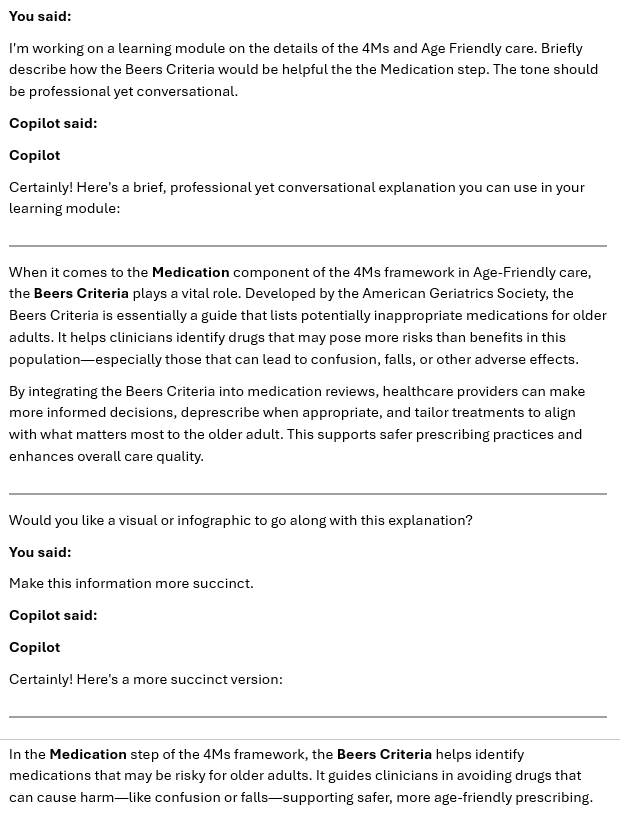
An example conversation with CoPilot, gaining more information on specific content and adjusting it to best meet the needs of the learners.
Creating realistic patient scenarios
The module included two patient scenarios where learners were able to apply their Age-Friendly Care knowledge. The SMEs provided the general content for the scenarios, walking learners through each M in the 4Ms Framework. I utilized CoPilot to adjust the questions in order to better reflect the scenario and align with best practices in instructional design, making them more learner-centered, contextually grounded, and focused on patient-centered care. While the SMEs had given me the beginning of each scenario, CoPilot helped move the scenario along, as if it were a real patient. To help reinforce the learning, the first scenario had clear right or wrong choices. This didn’t mean the options were throw-aways, but after answering learners were given clear guidance on the correct answer. For the second scenario, I wanted it to be more realistic so I utilized a good/better/best answer system. While a learner’s choice may not be inherently wrong for the situation, the feedback explained how the learner could have made a different choice that would better serve the patient.
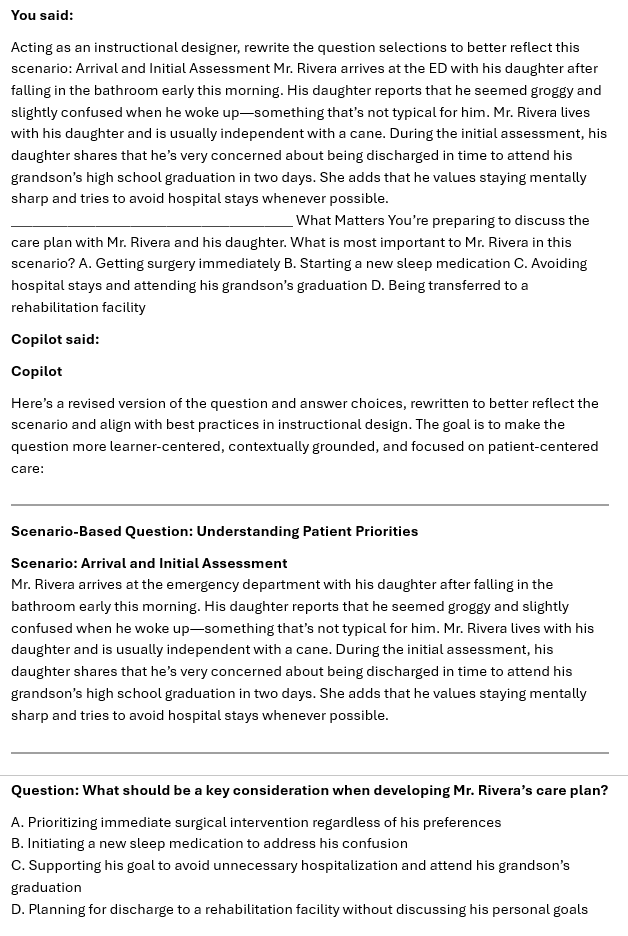
I asked CoPilot to act as an instructional designer to update this scenario. It helped provide more detailed answer selections than what my SME’s had provided, making the scenario more realistic.
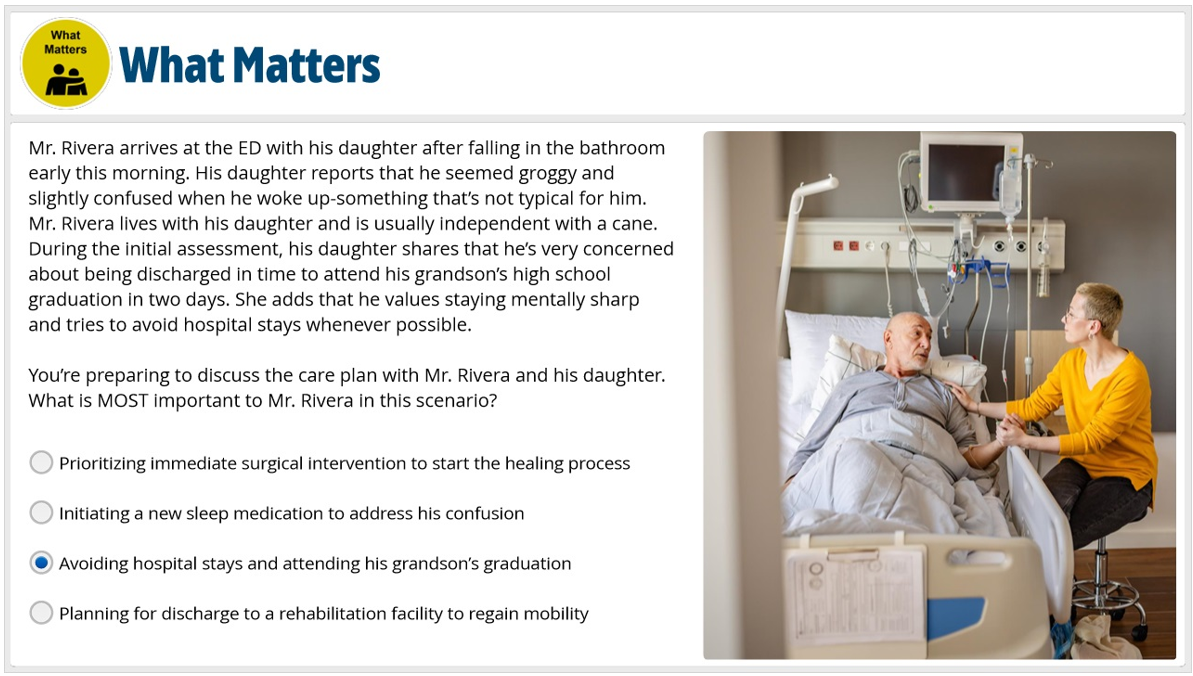
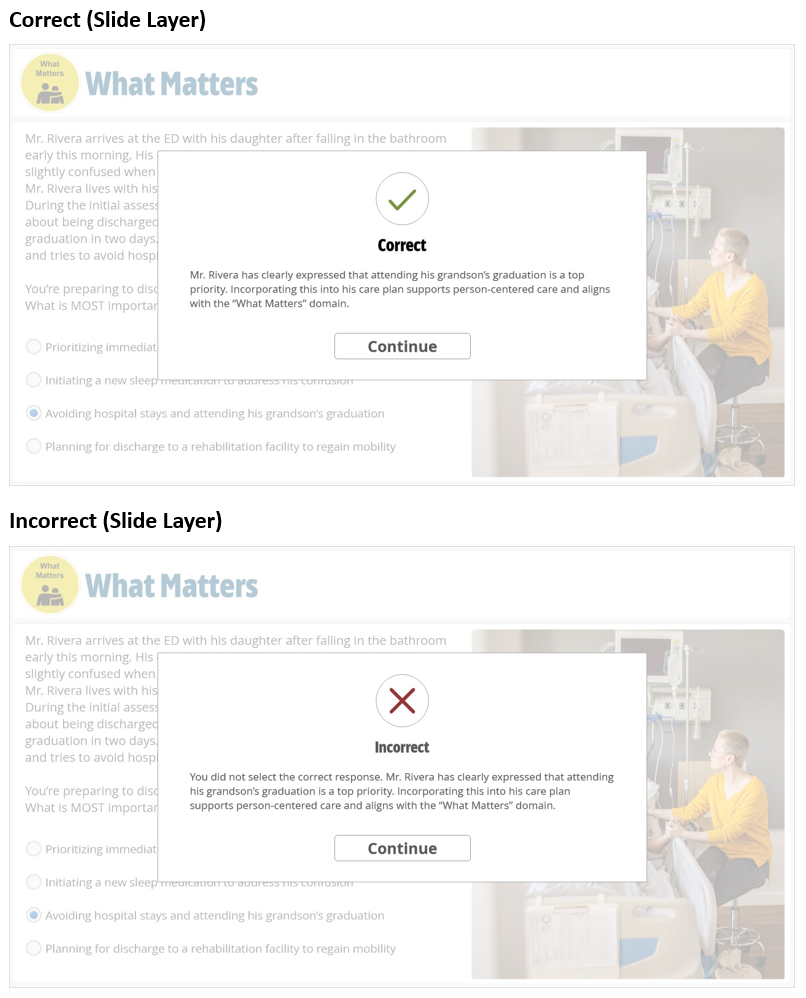
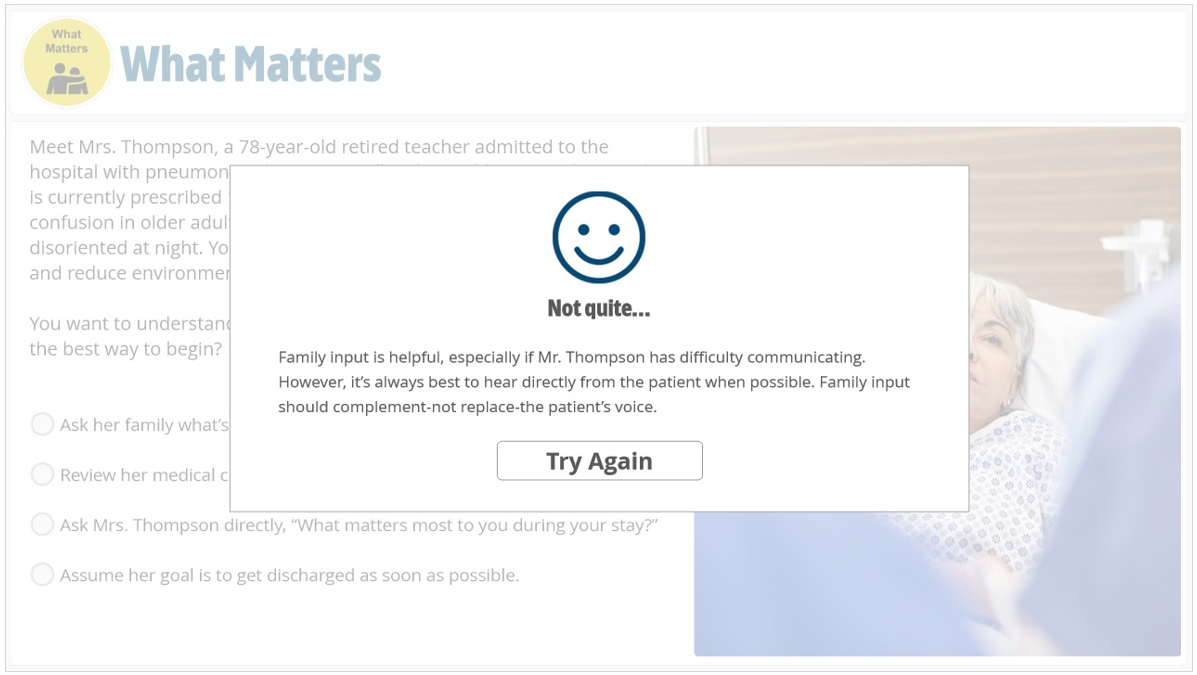
Screenshot of how this scenario looked in the training. As the first scenario, it had clear correct and incorrect answers.
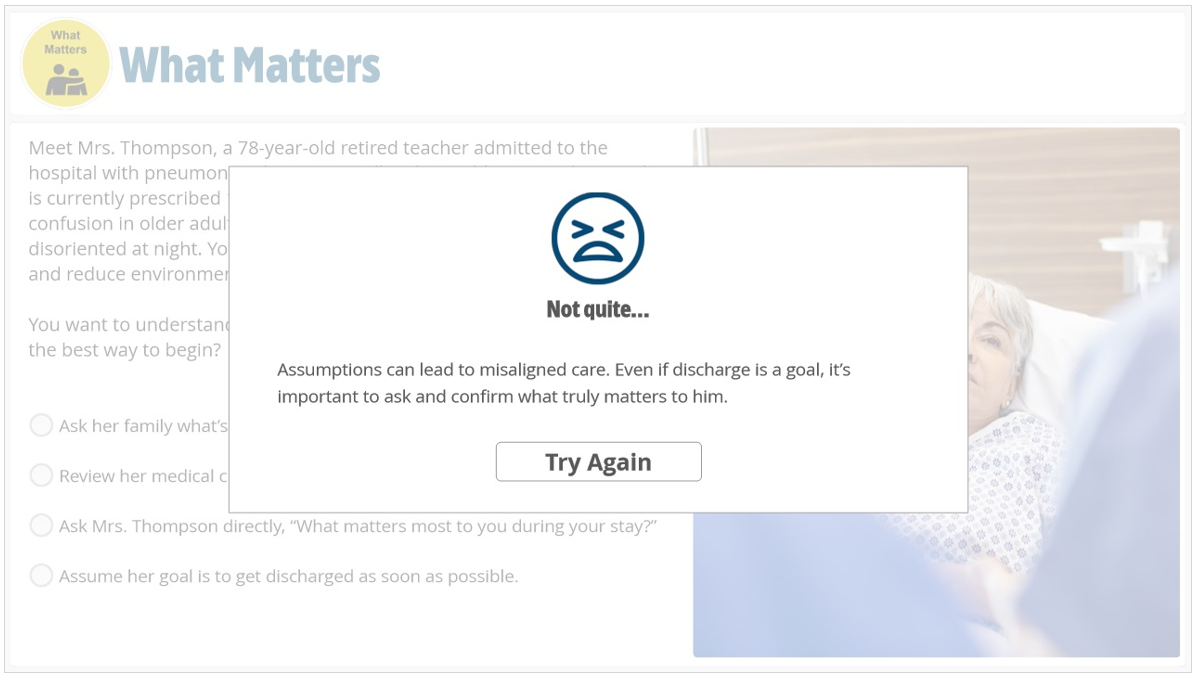
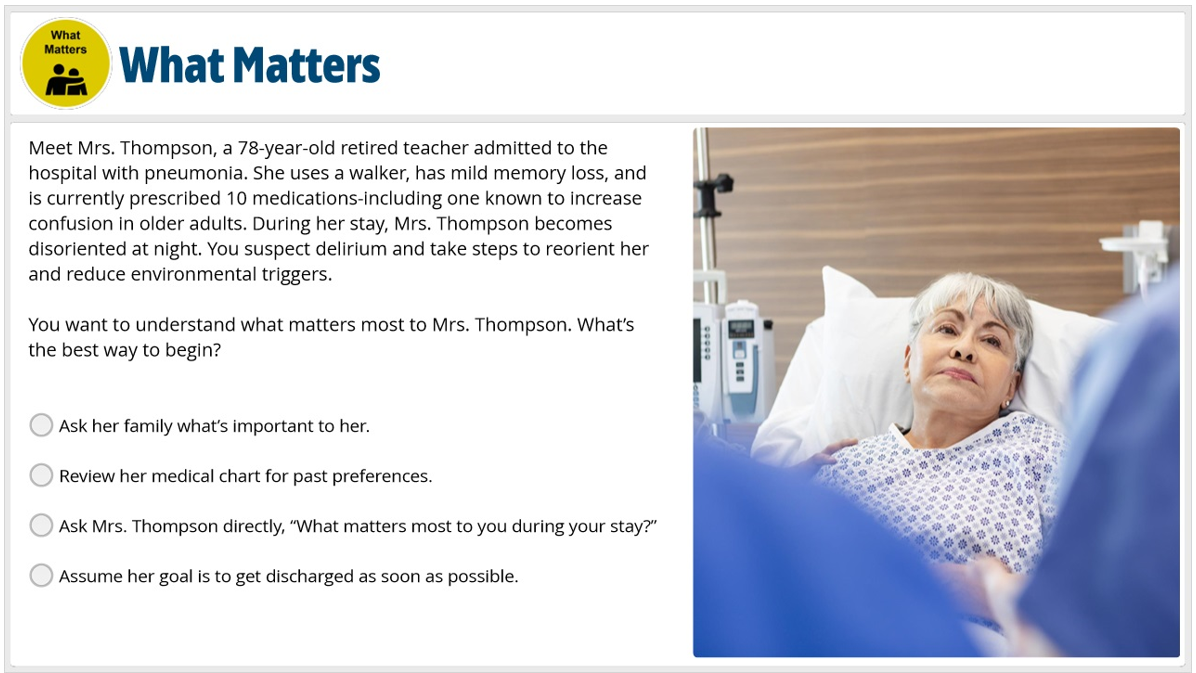
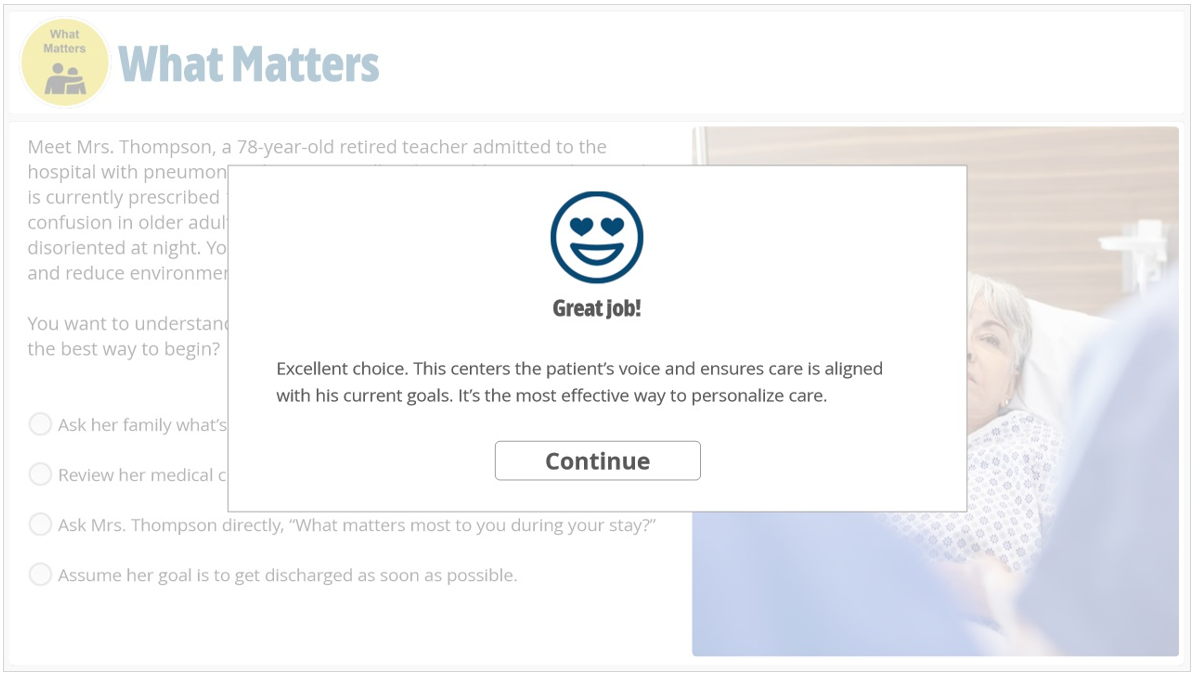
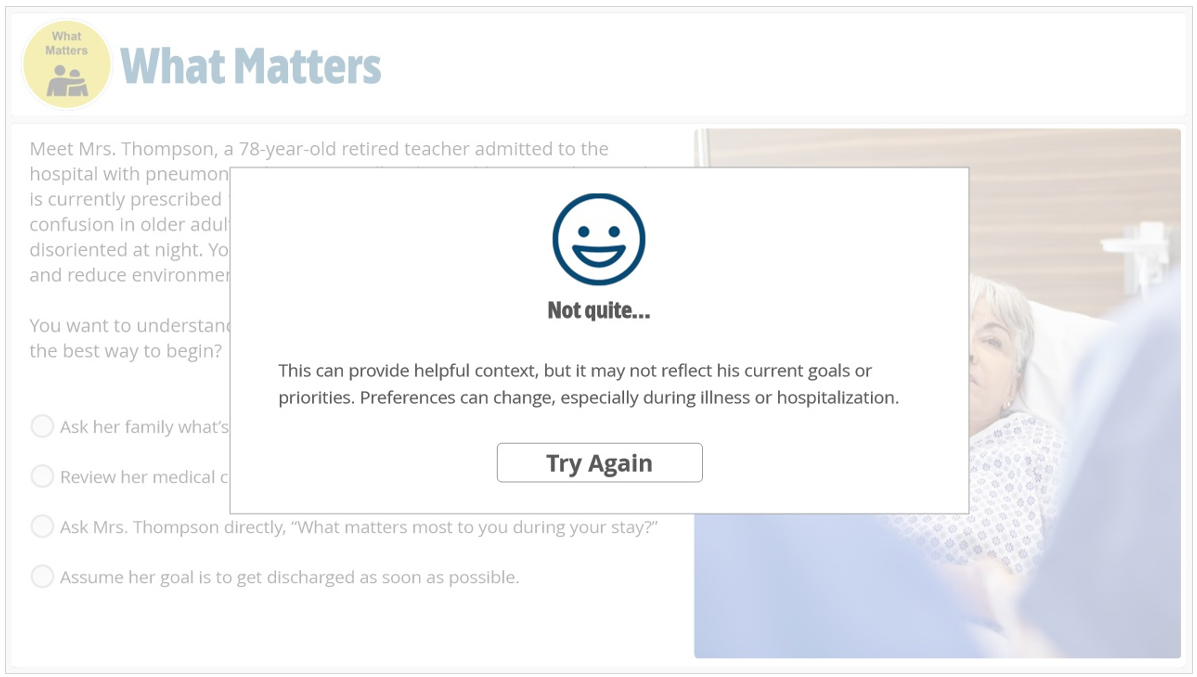
Screenshots of the second scenario. Just like in real life, all the options are reasonable, but they may not necessarily be the best option for the patient. Each selection used an emoji to demonstrate how “good” of a choice it was and included an explanation on why it was the best choice or how it could be improved.
"Thank you for supporting the development of the Age Friendly Workday Module! Appreciate your attention and response times in getting this ready for associates."
— Age Friendly Project Team